
Mobile marketing: make the journey useful before the campaign
A mobile campaign begins when someone can understand an offer and finish a task on a small screen. A clever message cannot compensate for a confusing destination.
Define one task and one promise
Choose a concrete need: find an answer, download a template or contact an editor. Write what the visitor will receive after the click. The campaign and destination must answer the same question. Avoid claims about discounts, availability or outcomes that you cannot support. Put the essential answer where a reader can reach it without completing a separate interaction.
Test a phone journey
Review text, contrast, reading order, touch controls and the keyboard. Google describes mobile-first indexing, so retain essential content on mobile. Use an ordinary connection and a specific task, not just a screenshot. Check whether a fixed panel covers an action and whether a form requests more information than the task needs. Include a person who uses keyboard or assistive navigation when possible.
Measure an interpretable result
Define a useful outcome before promotion. A completed download and a button click are different events. Record the period, source and changes so a comparison makes sense. Minimise data collection and respect privacy choices. Another campaign or a different day may change traffic: do not automatically attribute every difference to the design. Pair the numbers with observations about where the task became clearer.
Practice pathway
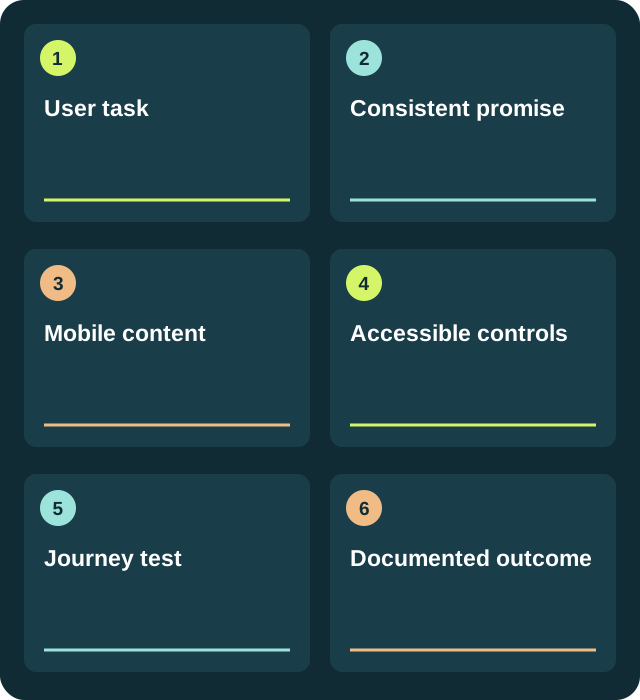
- User taskRecord the decision and keep a version you can review.
- Consistent promiseRecord the decision and keep a version you can review.
- Mobile contentRecord the decision and keep a version you can review.
- Accessible controlsRecord the decision and keep a version you can review.
- Journey testRecord the decision and keep a version you can review.
- Documented outcomeRecord the decision and keep a version you can review.
A piece with clear limits
Fictional page test: offer a downloadable template, explain its format and place the button beside an example. Ask three people to find it without help. Log task, confusion and outcome. Three observations can expose problems but do not represent an entire audience.
Try it
Design a page for a free template. Observe three people finding and downloading it. Record confusion, improve one issue and repeat the task.
Project deliverable
A reviewed piece, its source sheet and a note explaining what changed.
Download a working template
A pathway, worked example and six checks in an editable file. No account.
Download TXT ↓Review before publishing
Do not use fake countdowns, forced notification requests or misleading promises to increase clicks.
Frequently asked questions
Can I enroll through this page?
The 2024–25 catalog informs today’s self-directed guides. No enrollment or accredited qualifications are offered.
What do I need to practise?
Start with this guide’s exercise and template. Use a document for sources and, for audio or video, a device that can record a test you can review. Choose material you have permission to use.
How do I review the result?
Design a page for a free template. Observe three people finding and downloading it. Record confusion, improve one issue and repeat the task.
Sources and provenance
The example and pathway are new editorial work; historical sources document the former topic, not a current offer.