
Television presenting: lead the viewer through a live segment
Camera confidence comes from a clear purpose, preparation and reliable cues. A presenter guides a viewer through information rather than simply reading fluently.
Prepare the viewer’s question
Name the main question and the answer the segment can honestly deliver. Read the background file and identify the facts that need attribution. Draft an opening of two short sentences: what is happening and why this segment matters. Mark the next cue, the guest’s name and the pronunciation of unfamiliar words.
Work with pictures and the team
Match the script to the actual shot and the source of each visual. A teleprompter is an aid, not a substitute for understanding. Rehearse at a comfortable speed and practise looking away to address a guest. Agree signals with the director for time remaining, a failed clip and a necessary correction. Keep private information away from visible screens.
Recover with clarity
If a guest gives an unexpected answer, ask a focused follow-up rather than returning mechanically to a script. If a connection drops, state what the viewer knows and move to the prepared alternative. Avoid pretending that a delayed clip is live. Review posture, diction and pacing from a recording, but judge the piece first on whether its information was understandable.
Practice pathway
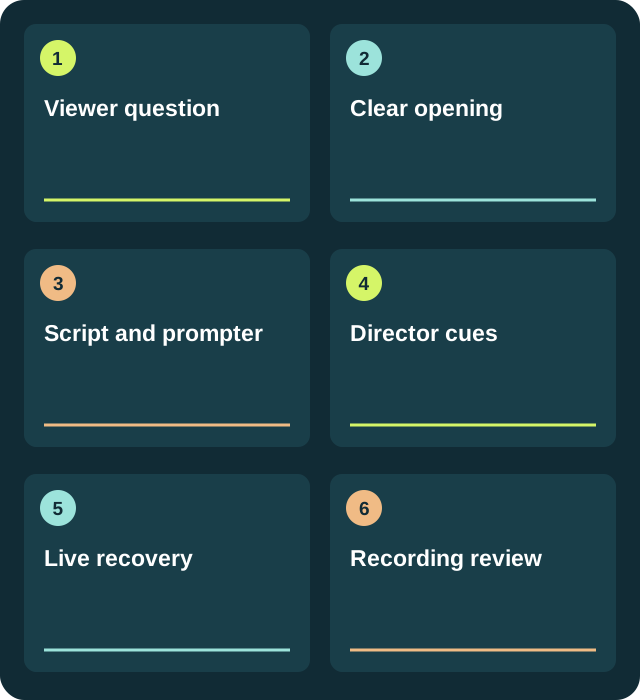
- Viewer questionRecord the decision and keep a version you can review.
- Clear openingRecord the decision and keep a version you can review.
- Script and prompterRecord the decision and keep a version you can review.
- Director cuesRecord the decision and keep a version you can review.
- Live recoveryRecord the decision and keep a version you can review.
- Recording reviewRecord the decision and keep a version you can review.
A piece with clear limits
Forty-five-second opening: checked fact 15 s, context 15 s, guest question 15 s. Write a recovery line for a failed video cue. In rehearsal, address the camera for information and the guest for a question; make each change of gaze purposeful.
Try it
Record a ninety-second introduction, guest question and close. Repeat once with a failed video cue. Ask a viewer to explain the main fact and what remains uncertain.
Project deliverable
A reviewed piece, its source sheet and a note explaining what changed.
Download a working template
A pathway, worked example and six checks in an editable file. No account.
Download TXT ↓Review before publishing
Label recorded material and simulations. Do not infer agreement or credentials from a guest’s appearance.
Frequently asked questions
Can I enroll through this page?
The 2024–25 catalog informs today’s self-directed guides. No enrollment or accredited qualifications are offered.
What do I need to practise?
Start with this guide’s exercise and template. Use a document for sources and, for audio or video, a device that can record a test you can review. Choose material you have permission to use.
How do I review the result?
Record a ninety-second introduction, guest question and close. Repeat once with a failed video cue. Ask a viewer to explain the main fact and what remains uncertain.
Sources and provenance
- Reuters Journalistic Standards
- W3C WAI: Making Audio and Video Media Accessible
- Historical catalog · 2025
- TMA · programa histórico de 2024 · PDF
The example and pathway are new editorial work; historical sources document the former topic, not a current offer.